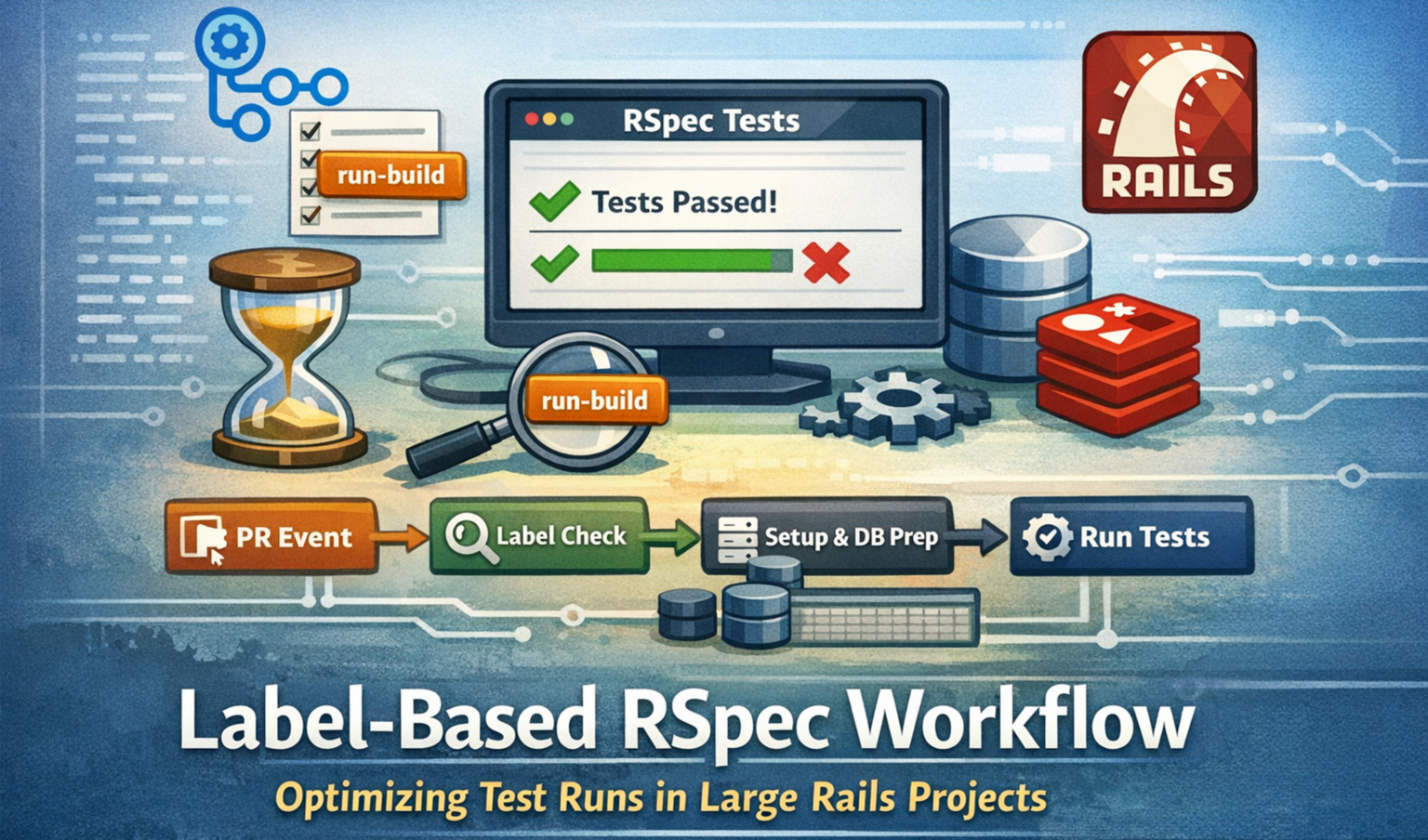
When a project gets bigger, running all tests can become a real pain — especially when a build needs to be deployed ASAP.
Guest article by Sonal Sachdev — Part 1
Running a full RSpec suite locally can be painful. It’s slow, system‑dependent, and honestly… easy to skip when you’re in a hurry. But skipping tests before a merge is risky, and we wanted a better way to feel confident about our code.
So we built a simple, reliable solution: run all RSpec tests automatically using a label on a GitHub pull request.
Clean. Predictable. Developer‑friendly.
The Problem We Wanted to Solve
Anyone working on a growing Rails codebase has felt this pain:
- Running all specs locally takes too long
- Test results differ across machines
- Full test suites are sometimes skipped unintentionally
- Merges happen without full confidence
Before merging, we wanted one clear answer to a simple question:
“Has everything been tested properly?”
What We Needed
To fix this, we were looking for a setup that gives us:
- One standard way to run all tests
- A fresh and clean environment every time
- Full control in the hands of developers
- Zero guesswork before merging
The Idea: Tests Run Only When You Ask for Them
Instead of running heavy test suites on every pull request, we decided to make it intentional.
All it takes is a label.
The magic label
run-build
When this label is added to a pull request, the system knows exactly what to do.
What Happens When the Label Is Added
The moment run-build appears on a pull request:
- All RSpec tests are triggered
- Code coverage is generated
- Results are shown directly on the pull request
No manual steps. No local setup issues. Just clear feedback where it matters most.
When Does This Workflow Run?
The workflow listens to pull request activity, but it runs only if the label is present.
It checks for:
- A pull request being opened
- New commits pushed to the pull request
- The run-build label being added
No label? No heavy test run. Simple as that.
Adding an rspec.yml File
					name: Rspec
on:
pull_request:
  types: [opened, synchronize, labeled]
  branches:
    - master
jobs:
rspec:
  if: contains(github.event.pull_request.labels.*.name, 'run-build')
  name: Run RSpecs
  runs-on: blacksmith-4vcpu-ubuntu-2204
  services:
    postgres:
      image: postgres:11
      ports:
        - 5432:5432
      env:
        POSTGRES_USER: test_postgres_user
        POSTGRES_PASSWORD: test_postgres_user_password
      options: --health-cmd pg_isready --health-interval 10s --health-timeout 5s --health-retries 5
    redis:
      image: redis
      options: >-
       --health-cmd "redis-cli ping"
       --health-interval 10s
       --health-timeout 5s
       --health-retries 5
      ports:
        - 6379:6379
  steps:
    - name: Checkout code
      uses: actions/checkout@v4


    - name: Setup Ruby
      uses: useblacksmith/setup-ruby@v2
      with:
        ruby-version: 3.2.8
      run: |
       sudo apt-get update
    - name: Sidekiq Pro Setup
      run: |
       bundle config gems.contribsys.com ${{ secrets.SIDEKIQ_PRO_USERNAME }}:${{ secrets.SIDEKIQ_PRO_PASSWORD }}


    - name: Ruby gem cache
      uses: useblacksmith/cache@v5
      with:
        path: vendor/bundle
        key: ${{ runner.os }}-gems-v2-${{ hashFiles('**/Gemfile.lock') }}
        restore-keys: |
         ${{ runner.os }}-gems-v2-


    - name: Install gems
      run: |
       gem install bundler -v 2.1.4
       bundle config path vendor/bundle
    - name: Install dependent libraries
      run: sudo apt-get install libpq-dev


    - name: Copy files
      run: |
       cp config/database.yml.sample config/database.yml
       cp config/audited.yml.sample config/audited.yml
       cp config/aws.yml.sample config/aws.yml
       cp .env.sample .env
       mkdir public/uploads
       mkdir public/uploads/exports


    - name: Setup Database
      run: |
       bin/rails db:drop
       bin/rails db:create
       bin/rails db:migrate
       bin/rails db:seed
      env:
        RAILS_ENV: test_rspec
        POSTGRES_USER: test_postgres_user
        POSTGRES_PASSWORD: test_postgres_user_password
        REDIS_HOST: localhost
        REDIS_PORT: 6379
        RUBYOPT: -W0
        FDOC: 1
        FPROF: 1
        RD_PROF: 1
    - name: Setup SftpGo
      run: sudo docker run --rm --name some-sftpgo -p 8080:8080 -p 2022:2022 -e SFTPGO_DATA_PROVIDER__CREATE_DEFAULT_ADMIN=true -e SFTPGO_DEFAULT_ADMIN_USERNAME="admin" -e SFTPGO_DEFAULT_ADMIN_PASSWORD="admin" -d "drakkan/sftpgo:v2.4.4"
    - name: Run RSpec
      run: COVERAGE=true bundle exec rspec spec/cancancan/ spec/concepts/ spec/controllers/ spec/factories/ spec/fixtures/ spec/helpers/ spec/lib/ spec/mailers/ spec/models/ spec/policies/ spec/requests/ spec/services/ spec/support/ spec/workers/ spec/system/ --require rails_helper --force-color --require rails_helper --force-color
    - name: Upload Coverage report
      if: always()
      uses: actions/upload-artifact@v4
      with:
        name: simple_cov
        path: coverage_results/.resultset.json
To keep test execution consistent and easy to manage, we use an rspec.yml file.
This file acts as a single place to define how RSpec should run across all environments — local machines and CI included.
Why this matters:
- Everyone runs tests the same way
- No hidden flags or local overrides
- CI behaviour stays predictable
The workflow picks up this file automatically, so whatever is defined there becomes the default behaviour for every test run.
Making Sure No Tests Are Missed
Instead of relying on defaults, every RSpec directory is explicitly listed.
Why?
Because missing tests are worse than failing tests.
Understanding the rspec.yml Workflow
The rspec.yml file works hand‑in‑hand with the GitHub Actions workflow.
At a high level, it helps by:
Defining common RSpec options
Keeping output clean and readable
Making sure test failures are easy to debug
In the GitHub workflow, RSpec is executed without extra flags because everything needed is already handled by rspec.yml. This keeps the workflow file clean and avoids duplication.
What the Job Actually Does
Once triggered, the job performs a full clean test setup:
- Installs the required Ruby version
- Installs all dependencies
- Starts PostgreSQL and Redis
- Prepares the test database
- Runs all RSpec folders
- Collects coverage using SimpleCov
Everything runs in a fresh environment, so results are consistent every single time.
Making Sure No Tests Are Missed
Instead of relying on defaults, every RSpec directory is explicitly listed.
Why?
Because missing tests are worse than failing tests.
This approach guarantees that every spec — no matter where it lives — gets executed.
Code Coverage Without Extra Effort
Coverage is enabled using a simple environment flag.
With that in place:
- SimpleCov starts automatically
- Coverage results are generated
- Reports are stored and can be used later
No extra setup required from developers.
What’s Intentionally Not Covered Here
To keep things focused and easy to digest, a few topics are left out for now:
Why a specific runner was chosen
Cost or pricing considerations
Other runner or workflow alternatives
These deserve a deeper discussion and are covered in Part 2.
Wrapping Up
This setup gives us confidence without slowing anyone down.
Developers decide when to run the full suite, and when they do, they get:
- Reliable results
- Complete test coverage
- Clear visibility before merging
Enough to digest for now.
We kept this part short on purpose — no heavy step‑by‑step walkthroughs.
Part 2 goes deeper and breaks everything down in detail.